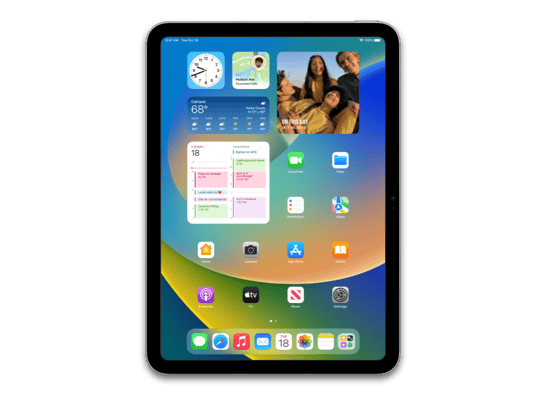
iPadOS 26.4.1 (23E254)
iPad (WiFi, 10th generation)
iPad_Fall_2022_26.4.1_23E254_Restore.ipsw
Device
iPad (WiFi, 10th generation)
SHA1
bdac5c1bf873efbeeaf725627eedf451af556b9d
SHA256
7d717672162ee844b905fdcf41c3c2ead1e674f438061cc78f1dc4e7b3062525
MD5
dd13faf0d8ea14f6732a8ca21fa01bad
iPadOS 26.4.1 Release Notes
Apple Music
- Playlist Playground (beta) generates a playlist from your description, complete with a title, description, and tracklist
- Concerts helps you discover nearby shows from artists in your library and recommends new artists based on what you listen to
- Ambient Music widget for Sleep, Chill, Productivity, and Wellbeing brings curated playlists to the Home Screen
- Full screen backgrounds give album and playlist pages a more immersive look
Accessibility
- Reduce bright effects in Accessibility Settings limits bright flashes on UI elements when tapped
- Subtitle and caption settings are easier to find when viewing media, with real-time preview available directly from the captions icon
This update also includes the following enhancements:
- Support for AirPods Max 2
- 8 new emoji including an orca, trombone, landslide, ballet dancer, and distorted face are available in the emoji keyboard
- Compact tab bar option in Safari gives you more space to browse and lets you search directly from the active tab
- Open window indicator appears when you switch to an app with hidden or minimized windows
- Freeform gains advanced image creation and editing tools, and a premium content library, joining Apple Creator Studio
- Mark reminders as urgent from the Quick Toolbar or by touching and holding, and filter for urgent reminders in your Smart Lists
- Purchase Sharing lets adult members in Family Sharing groups use their own payment method when making purchases, without relying on the family organizer
For information on the security content of Apple software updates, please visit:
https://support.apple.com/100100
Some features may not be available in all regions or on all iPad models. To learn more, please visit:
https://www.apple.com/ios/feature-availability/
Software updates, like this one, add new features and improvements that may affect performance and/or battery life. To learn more, please visit:
https://support.apple.com/125039
How to Restore iPadOS 26.4.1 IPSW
🖥
iTunes (Windows / macOS Mojave and older) & Finder (macOS Catalina+)
- Download the iPad_Fall_2022_26.4.1_23E254_Restore.ipsw file to your computer.
- Connect your iPad (WiFi, 10th generation) to your computer with a USB cable.
- Open Finder (macOS Catalina+) or iTunes (Windows / older macOS) and select your device.
- To Update (keeps data): hold Option (Mac) or Shift (Windows) and click Check for Update.
- To Restore (erases data): hold Option (Mac) or Shift (Windows) and click Restore iPhone/iPad.
- Navigate to and select the downloaded .ipsw file, then confirm.
- Wait for the process to complete — do not disconnect the device.
⌨️
idevicerestore (Command Line)
An open-source command-line tool that restores IPSW files without needing iTunes. Useful for advanced users, automation, and custom restore workflows.
- Install via Homebrew:
brew install idevicerestore
- Connect your device and put it into DFU mode.
- Run the restore command:
idevicerestore -t iPad_Fall_2022_26.4.1_23E254_Restore.ipsw
Common flags:
-eErase restore (factory reset)
-uUpdate restore (keep data)
-dEnable debug output
-nDry-run — don't actually restore
🔓
futurerestore (Saved Blobs / Downgrade)
futurerestore allows restoring to any firmware when you have saved APTickets (blobs) from a tool like TSSSaver or shsh.host.
- Download futurerestore from github.com/futurerestore/futurerestore.
- Ensure you have a saved .shsh2 blob for iPadOS 26.4.1 (23E254) on your iPad (WiFi, 10th generation).
- Put your device into DFU mode and run:
futurerestore -t your_blob.shsh2 --latest-sep --latest-baseband iPad_Fall_2022_26.4.1_23E254_Restore.ipsw
⛔ Warning: Using --latest-sep requires the latest SEP to be compatible with iPadOS 26.4.1. Always verify compatibility before restoring to avoid a bricked device.
📲
Entering DFU Mode
DFU (Device Firmware Update) mode is required for most manual restores. The button combination varies by device:
iPhone 8 / X and later / iPad with Face ID
Press & release Volume Up → press & release Volume Down → hold Side button until screen goes black → hold Side + Volume Down for 5 s → release Side but keep Volume Down for 10 s.
iPhone 7 / 7 Plus
Hold Side + Volume Down for 8 s → release Side but keep Volume Down for 10 s.
iPhone 6s and earlier / iPad with Home button
Hold Home + Sleep/Wake for 8 s → release Sleep/Wake but keep Home for 10 s.
💡 Tip: In DFU mode the screen stays completely black. If you see the Apple logo or a "Connect to iTunes" screen, you entered Recovery mode instead — try again.
⇓ Download IPSW Firmware (9.14 GB)
