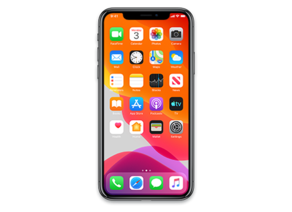
iOS 14.1 (18A8395)
iPhone 11 Pro Max
iPhone11,2,iPhone11,6,iPhone12,3,iPhone12,5_14.1_18A8395_Restore.ipsw
SHA1
cbed9d4bd8c8f54fa376759dbf0954746fcc90ee
SHA256
4abaf8cc37932ed4e7e43aa80910e9b01958f410800e1f9dfecf6075f3bc9aef
MD5
a124db11b0134a76d7d4aaeed222c51d
iOS 14.1 Release Notes
iOS 14.1 includes improvements and bug fixes for your iPhone.
- Adds support for 10-bit HDR video playback and edit in Photos for iPhone 8 and later
- Addresses an issue where some widgets, folders, and icons were showing up in reduced size on the Home Screen
- Addresses an issue where dragging widgets on the Home Screen could remove apps from folders
- Fixes an issue where some emails in Mail were sent from an incorrect alias
- Fixes an issue that could prevent incoming calls from displaying region information
- Fixes an issue on some devices where selecting zoomed display mode and an alphanumeric passcode could result in the Lock Screen emergency call button overlapping with the text input box
- Addresses an issue where some users were occasionally unable to download or add songs to their library while viewing an album or playlist
- Fixes an issue that could prevent zeroes from appearing in Calculator
- Resolves an issue where streaming video resolution could temporarily be reduced at the start of playback
- Fixes an issue that prevented setting up a family member’s Apple Watch for some users
- Resolves an issue where the Apple Watch case material was displayed incorrectly in the Apple Watch app
- Addresses an issue in the Files app that could cause some MDM-managed cloud service providers to incorrectly display content as unavailable
- Improves compatibility with Ubiquiti wireless access points
Some features may not be available for all regions or on all Apple devices. For information on the security content of Apple software updates, please visit this website:
https://support.apple.com/kb/HT201222
How to Restore iOS 14.1 IPSW
🖥
iTunes (Windows / macOS Mojave and older) & Finder (macOS Catalina+)
- Download the iPhone11,2,iPhone11,6,iPhone12,3,iPhone12,5_14.1_18A8395_Restore.ipsw file to your computer.
- Connect your iPhone 11 Pro Max to your computer with a USB cable.
- Open Finder (macOS Catalina+) or iTunes (Windows / older macOS) and select your device.
- To Update (keeps data): hold Option (Mac) or Shift (Windows) and click Check for Update.
- To Restore (erases data): hold Option (Mac) or Shift (Windows) and click Restore iPhone/iPad.
- Navigate to and select the downloaded .ipsw file, then confirm.
- Wait for the process to complete — do not disconnect the device.
⚠️ Note: This firmware is no longer signed by Apple. iTunes/Finder may reject the restore. Use a tool like futurerestore if you have saved blobs.
⌨️
idevicerestore (Command Line)
An open-source command-line tool that restores IPSW files without needing iTunes. Useful for advanced users, automation, and custom restore workflows.
- Install via Homebrew:
brew install idevicerestore
- Connect your device and put it into DFU mode.
- Run the restore command:
idevicerestore -t iPhone11,2,iPhone11,6,iPhone12,3,iPhone12,5_14.1_18A8395_Restore.ipsw
Common flags:
-eErase restore (factory reset)
-uUpdate restore (keep data)
-dEnable debug output
-nDry-run — don't actually restore
🔓
futurerestore (Saved Blobs / Downgrade)
futurerestore allows restoring to unsigned firmware like this one when you have saved APTickets (blobs) from a tool like TSSSaver or shsh.host.
- Download futurerestore from github.com/futurerestore/futurerestore.
- Ensure you have a saved .shsh2 blob for iOS 14.1 (18A8395) on your iPhone 11 Pro Max.
- Put your device into DFU mode and run:
futurerestore -t your_blob.shsh2 --latest-sep --latest-baseband iPhone11,2,iPhone11,6,iPhone12,3,iPhone12,5_14.1_18A8395_Restore.ipsw
⛔ Warning: Using --latest-sep requires the latest SEP to be compatible with iOS 14.1. Always verify compatibility before restoring to avoid a bricked device.
📲
Entering DFU Mode
DFU (Device Firmware Update) mode is required for most manual restores. The button combination varies by device:
iPhone 8 / X and later / iPad with Face ID
Press & release Volume Up → press & release Volume Down → hold Side button until screen goes black → hold Side + Volume Down for 5 s → release Side but keep Volume Down for 10 s.
iPhone 7 / 7 Plus
Hold Side + Volume Down for 8 s → release Side but keep Volume Down for 10 s.
iPhone 6s and earlier / iPad with Home button
Hold Home + Sleep/Wake for 8 s → release Sleep/Wake but keep Home for 10 s.
💡 Tip: In DFU mode the screen stays completely black. If you see the Apple logo or a "Connect to iTunes" screen, you entered Recovery mode instead — try again.
⇓ Download IPSW Firmware (5.85 GB)
