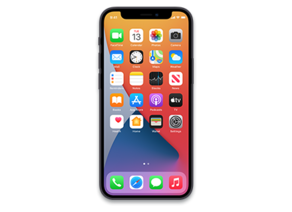
iOS 26.4.1 (23E254)
iPhone 12 mini
Other Signed iOS Versions
iOS 26.4.1 Release Notes
Apple Music
- Playlist Playground (beta) generates a playlist from your description, complete with a title, description, and tracklist
- Concerts helps you discover nearby shows from artists in your library and recommends new artists based on what you listen to
- Offline Music Recognition in Control Center identifies songs without an internet connection and delivers results automatically when you're back online
- Ambient Music widget for Sleep, Chill, Productivity, and Wellbeing brings curated playlists to the Home Screen
- Full screen backgrounds give album and playlist pages a more immersive look
Accessibility
- Reduce bright effects setting minimizes bright flashes when tapping on elements like buttons
- Subtitle and caption settings are available from the captions icon while viewing media, making them easier to find, customize, and preview
- Reduce Motion setting more reliably reduces the animations of Liquid Glass for users sensitive to on screen motion
This update also includes the following enhancements:
- Support for AirPods Max 2
- 8 new emoji including an orca, trombone, landslide, ballet dancer, and distorted face are available in the emoji keyboard
- Freeform gains advanced image creation and editing tools, and a premium content library, joining Apple Creator Studio
- Mark reminders as urgent from the Quick Toolbar or by touching and holding, and filter for urgent reminders in your Smart Lists
- Purchase Sharing lets adult members in Family Sharing groups use their own payment method when making purchases, without relying on the family organizer
- Improved keyboard accuracy when typing quickly
For information on the security content of Apple software updates, please visit:
https://support.apple.com/100100
Some features may not be available in all regions or on all iPhone models. To learn more, please visit:
https://www.apple.com/ios/feature-availability/
Software updates, like this one, add new features and improvements that may affect performance and/or battery life. To learn more, please visit:
https://support.apple.com/125039
How to Restore iOS 26.4.1 IPSW
🖥
iTunes (Windows / macOS Mojave and older) & Finder (macOS Catalina+)
- Download the iPhone13,1_26.4.1_23E254_Restore.ipsw file to your computer.
- Connect your iPhone 12 mini to your computer with a USB cable.
- Open Finder (macOS Catalina+) or iTunes (Windows / older macOS) and select your device.
- To Update (keeps data): hold Option (Mac) or Shift (Windows) and click Check for Update.
- To Restore (erases data): hold Option (Mac) or Shift (Windows) and click Restore iPhone/iPad.
- Navigate to and select the downloaded .ipsw file, then confirm.
- Wait for the process to complete — do not disconnect the device.
⌨️
idevicerestore (Command Line)
An open-source command-line tool that restores IPSW files without needing iTunes. Useful for advanced users, automation, and custom restore workflows.
- Install via Homebrew:
brew install idevicerestore
- Connect your device and put it into DFU mode.
- Run the restore command:
idevicerestore -t iPhone13,1_26.4.1_23E254_Restore.ipsw
Common flags:
-eErase restore (factory reset)
-uUpdate restore (keep data)
-dEnable debug output
-nDry-run — don't actually restore
🔓
futurerestore (Saved Blobs / Downgrade)
futurerestore allows restoring to any firmware when you have saved APTickets (blobs) from a tool like TSSSaver or shsh.host.
- Download futurerestore from github.com/futurerestore/futurerestore.
- Ensure you have a saved .shsh2 blob for iOS 26.4.1 (23E254) on your iPhone 12 mini.
- Put your device into DFU mode and run:
futurerestore -t your_blob.shsh2 --latest-sep --latest-baseband iPhone13,1_26.4.1_23E254_Restore.ipsw
⛔ Warning: Using --latest-sep requires the latest SEP to be compatible with iOS 26.4.1. Always verify compatibility before restoring to avoid a bricked device.
📲
Entering DFU Mode
DFU (Device Firmware Update) mode is required for most manual restores. The button combination varies by device:
iPhone 8 / X and later / iPad with Face ID
Press & release Volume Up → press & release Volume Down → hold Side button until screen goes black → hold Side + Volume Down for 5 s → release Side but keep Volume Down for 10 s.
iPhone 7 / 7 Plus
Hold Side + Volume Down for 8 s → release Side but keep Volume Down for 10 s.
iPhone 6s and earlier / iPad with Home button
Hold Home + Sleep/Wake for 8 s → release Sleep/Wake but keep Home for 10 s.
💡 Tip: In DFU mode the screen stays completely black. If you see the Apple logo or a "Connect to iTunes" screen, you entered Recovery mode instead — try again.
iPhone13,1_26.4.1_23E254_Restore.ipsw
SHA1
cb0421c10e622dda17d616c3d030c7c7046d9854
SHA256
9160e508c71b277fe68a0370ce6fdccf48fda6d3e8bcc7a425513f8507296816
MD5
9a9ad3513b67a831c11d84e3f3b04284
⇓ Download IPSW (9.44 GB)
