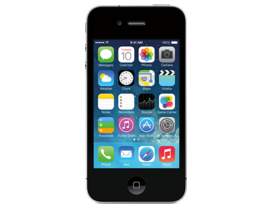
iOS 7.1 (11D169)
iPhone 4 (GSM)
iPhone3,1_7.1_11D169_Restore.ipsw
SHA1
c657505db208a73a5e27708816b87e8be3997d9a
SHA256
5f185f0169e2f3c4a321c9b8e576b199e0ea558ea795a7acfb213a472df94903
MD5
9b41651768dd716472577646ed1876db
iOS 7.1 Release Notes
This update contains improvements and bug fixes, including:
- CarPlay
- iOS experience designed for the car
- Simply connect your iPhone to a CarPlay enabled vehicle
- Supports Phone, Music, Maps, Messages, and 3rd-party audio apps
- Control with Siri and the car's touchscreen, knobs, and buttons
- Siri
- Manually control when Siri listens by holding down the home button while you speak and releasing it when you're done as an alternative to letting Siri automatically notice when you stop talking
- New, more natural sounding male and female voices for Mandarin Chinese, UK English, Australian English, and Japanese
- iTunes Radio
- Search field above Featured Stations to easily create stations based on your favorite artist or song
- Buy albums with the tap of a button from Now Playing
- Subscribe to iTunes Match on your iPhone, iPad, or iPod touch to enjoy iTunes Radio ad-free
- Calendar
- Option to display events in month view
- Country specific holidays automatically added for many countries
- Accessibility
- Bold font option now includes the keyboard, calculator, and many icon glyphs
- Reduce Motion option now includes Weather, Messages, and multitasking UI animations
- New options to display button shapes, darken app colors, and reduce white point
- New Camera setting to automatically enable HDR for iPhone 5s
- iCloud Keychain support in additional countries
- FaceTime call notifications are automatically cleared when you answer a call on another device
- Fixes a bug that could occasionally cause a home screen crash
- Improves Touch ID fingerprint recognition
- Improved performance for iPhone 4
- Fixes display of Mail unread badge for numbers greater than 10,000
- Continued user interface refinements
For information on the security content of this update, please visit this website:
http://support.apple.com/kb/HT1222
How to Restore iOS 7.1 IPSW
🖥
iTunes (Windows / macOS Mojave and older) & Finder (macOS Catalina+)
- Download the iPhone3,1_7.1_11D169_Restore.ipsw file to your computer.
- Connect your iPhone 4 (GSM) to your computer with a USB cable.
- Open Finder (macOS Catalina+) or iTunes (Windows / older macOS) and select your device.
- To Update (keeps data): hold Option (Mac) or Shift (Windows) and click Check for Update.
- To Restore (erases data): hold Option (Mac) or Shift (Windows) and click Restore iPhone/iPad.
- Navigate to and select the downloaded .ipsw file, then confirm.
- Wait for the process to complete — do not disconnect the device.
⚠️ Note: This firmware is no longer signed by Apple. iTunes/Finder may reject the restore. Use a tool like futurerestore if you have saved blobs.
⌨️
idevicerestore (Command Line)
An open-source command-line tool that restores IPSW files without needing iTunes. Useful for advanced users, automation, and custom restore workflows.
- Install via Homebrew:
brew install idevicerestore
- Connect your device and put it into DFU mode.
- Run the restore command:
idevicerestore -t iPhone3,1_7.1_11D169_Restore.ipsw
Common flags:
-eErase restore (factory reset)
-uUpdate restore (keep data)
-dEnable debug output
-nDry-run — don't actually restore
🔓
futurerestore (Saved Blobs / Downgrade)
futurerestore allows restoring to unsigned firmware like this one when you have saved APTickets (blobs) from a tool like TSSSaver or shsh.host.
- Download futurerestore from github.com/futurerestore/futurerestore.
- Ensure you have a saved .shsh2 blob for iOS 7.1 (11D169) on your iPhone 4 (GSM).
- Put your device into DFU mode and run:
futurerestore -t your_blob.shsh2 --latest-sep --latest-baseband iPhone3,1_7.1_11D169_Restore.ipsw
⛔ Warning: Using --latest-sep requires the latest SEP to be compatible with iOS 7.1. Always verify compatibility before restoring to avoid a bricked device.
📲
Entering DFU Mode
DFU (Device Firmware Update) mode is required for most manual restores. The button combination varies by device:
iPhone 8 / X and later / iPad with Face ID
Press & release Volume Up → press & release Volume Down → hold Side button until screen goes black → hold Side + Volume Down for 5 s → release Side but keep Volume Down for 10 s.
iPhone 7 / 7 Plus
Hold Side + Volume Down for 8 s → release Side but keep Volume Down for 10 s.
iPhone 6s and earlier / iPad with Home button
Hold Home + Sleep/Wake for 8 s → release Sleep/Wake but keep Home for 10 s.
💡 Tip: In DFU mode the screen stays completely black. If you see the Apple logo or a "Connect to iTunes" screen, you entered Recovery mode instead — try again.
⇓ Download IPSW Firmware (1.12 GB)
