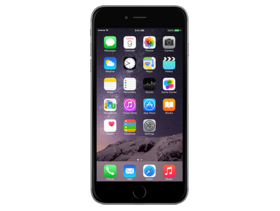
iOS 10.3 (14E277)
iPhone 6+
iPhone_5.5_10.3_14E277_Restore.ipsw
SHA1
f8d1bc188108b36bae88c8d11a6c2ff0a5bdf301
SHA256
4841b47c5d8a8f888bb4f93fc99ddbad6ae456aa3b366668d883f4c88de8d603
MD5
6c8343bff833a98f670031ccea653038
iOS 10.3 Release Notes
iOS 10.3 introduces new features including the ability to locate AirPods using Find my iPhone and more ways to use Siri with payment, ride booking and automaker apps.
Find My iPhone
- View the current or last known location of your AirPods
- Play a sound on one or both AirPods to help you find them
Siri
- Support for paying and checking status of bills with payment apps
- Support for scheduling with ride booking apps
- Support for checking car fuel level, lock status, turning on lights and activating horn with automaker apps
- Cricket sports scores and statistics for Indian Premier League and International Cricket Council
CarPlay
- Shortcuts in the status bar for easy access to last used apps
- Apple Music Now Playing screen gives access to Up Next and the currently playing song’s album
- Daily curated playlists and new music categories in Apple Music
Other improvements and fixes
- Rent once and watch your iTunes movies across your devices
- New Settings unified view for your Apple ID account information, settings and devices
- Hourly weather in Maps using 3D Touch on the displayed current temperature
- Support for searching “parked car" in Maps
- Calendar adds the ability to delete an unwanted invite and report it as junk
- Home app support to trigger scenes using accessories with switches and buttons
- Home app support for accessory battery level status
- Podcasts support for 3D Touch and Today widget to access recently updated shows
- Podcast shows or episodes are shareable to Messages with full playback support
- Fixes an issue that could prevent Maps from displaying your current location after resetting Location & Privacy
- VoiceOver stability improvements for Phone, Safari and Mail
For information on the security content of Apple software updates, please visit this website:
https://support.apple.com/HT201222
How to Restore iOS 10.3 IPSW
🖥
iTunes (Windows / macOS Mojave and older) & Finder (macOS Catalina+)
- Download the iPhone_5.5_10.3_14E277_Restore.ipsw file to your computer.
- Connect your iPhone 6+ to your computer with a USB cable.
- Open Finder (macOS Catalina+) or iTunes (Windows / older macOS) and select your device.
- To Update (keeps data): hold Option (Mac) or Shift (Windows) and click Check for Update.
- To Restore (erases data): hold Option (Mac) or Shift (Windows) and click Restore iPhone/iPad.
- Navigate to and select the downloaded .ipsw file, then confirm.
- Wait for the process to complete — do not disconnect the device.
⚠️ Note: This firmware is no longer signed by Apple. iTunes/Finder may reject the restore. Use a tool like futurerestore if you have saved blobs.
⌨️
idevicerestore (Command Line)
An open-source command-line tool that restores IPSW files without needing iTunes. Useful for advanced users, automation, and custom restore workflows.
- Install via Homebrew:
brew install idevicerestore
- Connect your device and put it into DFU mode.
- Run the restore command:
idevicerestore -t iPhone_5.5_10.3_14E277_Restore.ipsw
Common flags:
-eErase restore (factory reset)
-uUpdate restore (keep data)
-dEnable debug output
-nDry-run — don't actually restore
🔓
futurerestore (Saved Blobs / Downgrade)
futurerestore allows restoring to unsigned firmware like this one when you have saved APTickets (blobs) from a tool like TSSSaver or shsh.host.
- Download futurerestore from github.com/futurerestore/futurerestore.
- Ensure you have a saved .shsh2 blob for iOS 10.3 (14E277) on your iPhone 6+.
- Put your device into DFU mode and run:
futurerestore -t your_blob.shsh2 --latest-sep --latest-baseband iPhone_5.5_10.3_14E277_Restore.ipsw
⛔ Warning: Using --latest-sep requires the latest SEP to be compatible with iOS 10.3. Always verify compatibility before restoring to avoid a bricked device.
📲
Entering DFU Mode
DFU (Device Firmware Update) mode is required for most manual restores. The button combination varies by device:
iPhone 8 / X and later / iPad with Face ID
Press & release Volume Up → press & release Volume Down → hold Side button until screen goes black → hold Side + Volume Down for 5 s → release Side but keep Volume Down for 10 s.
iPhone 7 / 7 Plus
Hold Side + Volume Down for 8 s → release Side but keep Volume Down for 10 s.
iPhone 6s and earlier / iPad with Home button
Hold Home + Sleep/Wake for 8 s → release Sleep/Wake but keep Home for 10 s.
💡 Tip: In DFU mode the screen stays completely black. If you see the Apple logo or a "Connect to iTunes" screen, you entered Recovery mode instead — try again.
⇓ Download IPSW Firmware (2.58 GB)
