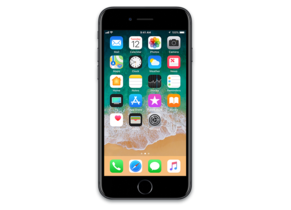
iOS 15.8.7 (19H411)
iPhone 7 (Global)
iPhone_4.7_P3_15.8.7_19H411_Restore.ipsw
SHA1
104fe43ff131e929677507c7a43b0d4e4a8eae46
SHA256
13c1fb684581185e35b72ad834fb01edfbf63911722daee03db47980fa40c84a
MD5
e5862ebdddbf17df41ffd98f7303d13e
iOS 15.8.7 Release Notes
Face ID
- Face ID while wearing a mask option on iPhone 12 and newer
- Apple Pay and password autofill in apps and Safari can be used with Face ID while wearing a mask
Emoji
- New emoji including faces, hand gestures, and household objects are now available in emoji keyboard
- Handshake emoji allows you to choose separate skin tones for each hand
FaceTime
- SharePlay sessions can be initiated directly from supported apps
Siri
- Siri can provide time and date information while offline on iPhone XS, iPhone XR, iPhone 11 or newer
- Siri now includes an additional voice, expanding the diversity of options
Vaccine cards
- EU Digital COVID Certificate support in Health enables you to download and store verifiable versions of COVID-19 vaccination, lab results, and recovery records
- COVID-19 vaccination cards in Apple Wallet now support the EU Digital COVID Certificate format
This release also includes the following enhancements for your iPhone:
- Safari webpage translation adds support for Italian and Chinese (Traditional)
- Podcasts app adds episode filters for seasons, played, unplayed, saved, or downloaded episodes
- iCloud custom email domains can be managed from Settings
- News offers enhanced discovery of audio content in the Today feed and Audio tab
- Camera in keyboard can be used to add text to Notes and Reminders
- Shortcuts now supports adding, removing, or querying tags with Reminders
- Emergency SOS settings have changed to use Call with Hold for all users. Call with 5 Presses is still available as an option in Emergency SOS settings
- Close-up in Magnifier uses the ultra-wide camera on iPhone 13 Pro and iPhone 13 Pro Max to help you see small objects
- Saved passwords can now include your own notes in Settings
This release also includes bug fixes for your iPhone:
- Keyboard may insert period between typed numbers
- News widgets in Today View may not open articles when tapped
- Photos and videos may not sync to iCloud Photo Library
- Speak Screen Accessibility feature may quit unexpectedly within the Books app
- Live Listen may not turn off when switched off in Control Center
Some features may not be available for all regions or on all Apple devices. For information on the security content of Apple software updates, please visit this website:
https://support.apple.com/100100
How to Restore iOS 15.8.7 IPSW
🖥
iTunes (Windows / macOS Mojave and older) & Finder (macOS Catalina+)
- Download the iPhone_4.7_P3_15.8.7_19H411_Restore.ipsw file to your computer.
- Connect your iPhone 7 (Global) to your computer with a USB cable.
- Open Finder (macOS Catalina+) or iTunes (Windows / older macOS) and select your device.
- To Update (keeps data): hold Option (Mac) or Shift (Windows) and click Check for Update.
- To Restore (erases data): hold Option (Mac) or Shift (Windows) and click Restore iPhone/iPad.
- Navigate to and select the downloaded .ipsw file, then confirm.
- Wait for the process to complete — do not disconnect the device.
⌨️
idevicerestore (Command Line)
An open-source command-line tool that restores IPSW files without needing iTunes. Useful for advanced users, automation, and custom restore workflows.
- Install via Homebrew:
brew install idevicerestore
- Connect your device and put it into DFU mode.
- Run the restore command:
idevicerestore -t iPhone_4.7_P3_15.8.7_19H411_Restore.ipsw
Common flags:
-eErase restore (factory reset)
-uUpdate restore (keep data)
-dEnable debug output
-nDry-run — don't actually restore
🔓
futurerestore (Saved Blobs / Downgrade)
futurerestore allows restoring to any firmware when you have saved APTickets (blobs) from a tool like TSSSaver or shsh.host.
- Download futurerestore from github.com/futurerestore/futurerestore.
- Ensure you have a saved .shsh2 blob for iOS 15.8.7 (19H411) on your iPhone 7 (Global).
- Put your device into DFU mode and run:
futurerestore -t your_blob.shsh2 --latest-sep --latest-baseband iPhone_4.7_P3_15.8.7_19H411_Restore.ipsw
⛔ Warning: Using --latest-sep requires the latest SEP to be compatible with iOS 15.8.7. Always verify compatibility before restoring to avoid a bricked device.
📲
Entering DFU Mode
DFU (Device Firmware Update) mode is required for most manual restores. The button combination varies by device:
iPhone 8 / X and later / iPad with Face ID
Press & release Volume Up → press & release Volume Down → hold Side button until screen goes black → hold Side + Volume Down for 5 s → release Side but keep Volume Down for 10 s.
iPhone 7 / 7 Plus
Hold Side + Volume Down for 8 s → release Side but keep Volume Down for 10 s.
iPhone 6s and earlier / iPad with Home button
Hold Home + Sleep/Wake for 8 s → release Sleep/Wake but keep Home for 10 s.
💡 Tip: In DFU mode the screen stays completely black. If you see the Apple logo or a "Connect to iTunes" screen, you entered Recovery mode instead — try again.
⇓ Download IPSW Firmware (5.03 GB)
