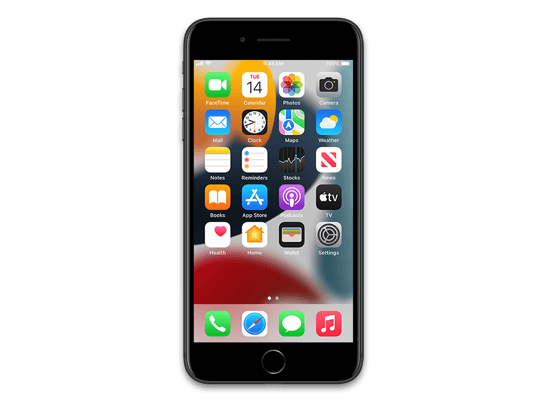
iOS 13.1 (17A844)
iPhone 7 Plus (Global)
Other Signed iOS Versions
iOS 13.1 Release Notes
iOS 13.1 includes bug fixes and improvements, including AirDrop with Ultra Wideband technology on iPhone 11, iPhone 11 Pro, and iPhone 11 Pro Max, suggested automations in the Shortcuts app, and the ability to share ETA in Maps.
AirDrop
- Ability to select who you want to AirDrop to by pointing from one iPhone 11, iPhone 11 Pro, or iPhone 11 Pro Max to another using the new U1 chip with Ultra Wideband technology for spatial awareness
Shortcuts
- Suggested automations in the Gallery personalized to your daily routine
- Personal and home automations for automatically running shortcuts based on triggers
- Home app support for shortcuts as advanced actions in the Automation tab
Maps
- Share ETA to send your estimated time of arrival while your route is in progress
Battery Health
- Optimized battery charging to slow the rate of battery aging by reducing the time your iPhone spends fully charged
- Performance management feature for iPhone XR, iPhone XS and iPhone XS Max to prevent the device from unexpectedly shutting down, including the option to disable this feature if an unexpected shutdown occurs
- Notifications for when Battery Health is unable to verify if a new, genuine Apple battery is in iPhone XR, iPhone XS, iPhone XS Max and later
This update also includes bug fixes and other improvements. This update:
- Adds a link to the Me tab in Find My to allow a guest to sign in and locate a missing device
- Includes notifications for when the display on your iPhone is unable to be verified as a new, genuine Apple display in iPhone 11, iPhone 11 Pro, and iPhone 11 Pro Max
- Addresses issues in Mail that could cause incorrect download counts, missing senders and subjects, difficulty selecting or flagging threads, duplicate notifications or overlapping fields
- Fixes an issue in Mail that may prevent background downloading of email messages
- Addresses an issue that could prevent Memoji from correctly tracking facial expressions in Messages
- Fixes an issue where photos might not display in the Messages details view
- Fixes an issue in Reminders that prevented some users from sharing iCloud lists
- Resolves an issue in Notes where Exchange notes may not show up in search results
- Addresses an issue in Calendar where birthday events could appear multiple times
- Addresses an issue that could prevent third-party sign in screens from appearing in the Files app
- Fixes an issue that could cause Camera orientation to appear rotated when swiping to it from the Lock screen
- Addresses an issue that could cause the display to sleep while interacting with the Lock screen
- Resolves issues where app icons could appear as blank or as a different app on the Home screen
- Resolves an issue that could prevent supported wallpapers from switching appearances when changing between Light and Dark modes
- Addresses stability issues when signing out of iCloud from Passwords & Accounts in Settings
- Fixes an issue where signing in to update Apple ID settings could fail repeatedly
- Fixes an issue that could prevent the device from vibrating when connecting to a charger
- Addresses an issue that could cause people and groups in the Share Sheet to appear blurred
- Fixes an issue that could prevent alternate words from displaying when tapping on a misspelled word
- Resolves an issue where multilingual typing could stop working
- Addresses an issue that could prevent switching back to the QuickType keyboard after using a third-party keyboard
- Fixes an issue that could prevent the edit menu from appearing when selecting text
- Fixes an issue where Siri may not read Messages in CarPlay
- Addresses an issue that could prevent sending a message using third party messaging apps in CarPlay
For information on the security content of Apple software updates, please visit this website:
https://support.apple.com/kb/HT201222
How to Restore iOS 13.1 IPSW
🖥
iTunes (Windows / macOS Mojave and older) & Finder (macOS Catalina+)
- Download the iPhone_5.5_P3_13.1_17A844_Restore.ipsw file to your computer.
- Connect your iPhone 7 Plus (Global) to your computer with a USB cable.
- Open Finder (macOS Catalina+) or iTunes (Windows / older macOS) and select your device.
- To Update (keeps data): hold Option (Mac) or Shift (Windows) and click Check for Update.
- To Restore (erases data): hold Option (Mac) or Shift (Windows) and click Restore iPhone/iPad.
- Navigate to and select the downloaded .ipsw file, then confirm.
- Wait for the process to complete — do not disconnect the device.
⚠️ Note: This firmware is no longer signed by Apple. iTunes/Finder may reject the restore. Use a tool like futurerestore if you have saved blobs.
⌨️
idevicerestore (Command Line)
An open-source command-line tool that restores IPSW files without needing iTunes. Useful for advanced users, automation, and custom restore workflows.
- Install via Homebrew:
brew install idevicerestore
- Connect your device and put it into DFU mode.
- Run the restore command:
idevicerestore -t iPhone_5.5_P3_13.1_17A844_Restore.ipsw
Common flags:
-eErase restore (factory reset)
-uUpdate restore (keep data)
-dEnable debug output
-nDry-run — don't actually restore
🔓
futurerestore (Saved Blobs / Downgrade)
futurerestore allows restoring to unsigned firmware like this one when you have saved APTickets (blobs) from a tool like TSSSaver or shsh.host.
- Download futurerestore from github.com/futurerestore/futurerestore.
- Ensure you have a saved .shsh2 blob for iOS 13.1 (17A844) on your iPhone 7 Plus (Global).
- Put your device into DFU mode and run:
futurerestore -t your_blob.shsh2 --latest-sep --latest-baseband iPhone_5.5_P3_13.1_17A844_Restore.ipsw
⛔ Warning: Using --latest-sep requires the latest SEP to be compatible with iOS 13.1. Always verify compatibility before restoring to avoid a bricked device.
📲
Entering DFU Mode
DFU (Device Firmware Update) mode is required for most manual restores. The button combination varies by device:
iPhone 8 / X and later / iPad with Face ID
Press & release Volume Up → press & release Volume Down → hold Side button until screen goes black → hold Side + Volume Down for 5 s → release Side but keep Volume Down for 10 s.
iPhone 7 / 7 Plus
Hold Side + Volume Down for 8 s → release Side but keep Volume Down for 10 s.
iPhone 6s and earlier / iPad with Home button
Hold Home + Sleep/Wake for 8 s → release Sleep/Wake but keep Home for 10 s.
💡 Tip: In DFU mode the screen stays completely black. If you see the Apple logo or a "Connect to iTunes" screen, you entered Recovery mode instead — try again.
iPhone_5.5_P3_13.1_17A844_Restore.ipsw
Device
iPhone 7 Plus (Global)
SHA1
c64b834b7271c49ad2dbf9fe5712da63137a66b3
SHA256
c83de6a2899b661b7a6d1840cb778b3bc2a13415aa67886ca9720caf3207f330
MD5
22aec0887097e5a6322f84b3c0bc7430
⇓ Download IPSW (3.84 GB)
