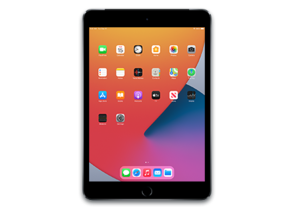
iPad 8 (WiFi) Jailbreaks
iPad11,6
iPad 8 (WiFi)
can be jailbroken on iPadOS 14.0 through 16.5.1,
covering 40 distinct versions across 4 tools.
Supported jailbreak platforms include iOS (Sideload required).
Dopamine covers the widest range
with 25 compatible versions.
Available Jailbreak Tools
What is Jailbreaking?
Jailbreaking is the process of removing Apple's software restrictions on iPadOS devices,
giving you full root access to the operating system. It exploits vulnerabilities in iPadOS to bypass code-signing and sandbox enforcement — the mechanisms Apple uses to ensure only
approved software runs on the device.
Once jailbroken, your iPad 8 (WiFi)
can install apps, tweaks, and extensions from third-party package managers (like
Cydia,
Sileo, or
Zebra)
that are not available on the App Store.
🎨
Custom Themes
Fully restyle the UI, icons, lock screen, and fonts with themes from package repos.
⚙️
System Tweaks
Modify or extend built-in apps and system behaviour beyond what Apple allows.
📦
Sideload Freely
Install any IPA without a developer account and without the 7-app sideloading limit.
🔒
Privacy Control
Block telemetry, ads, and tracking at the system level with tools like RocketBootstrap.
🗂
File System Access
Browse, edit, and manage the full filesystem using apps like Filza or iFile.
🎮
Game Enhancements
Unlock tweaks for performance, controllers, and overlays not permitted in the App Store.
Jailbreak Types
Untethered
The gold standard. The device stays jailbroken after every reboot with no action required.
Semi-Untethered
Survives reboots but the jailbreak app must be re-run from the device after each restart.
Tethered
Requires a computer connection to boot into a jailbroken state after every reboot.
Semi-Tethered
Can boot without a computer but will be unjailbroken until the app is run again.
Risks & Considerations
⚠️
Warranty Void
Apple can refuse service on a jailbroken device, though restoring via iTunes removes all evidence.
🔐
Security Surface
Root access widens the attack surface. Only install tweaks from trusted, reputable repositories.
🔄
OTA Updates Blocked
Installing an OTA update will remove the jailbreak and may close the exploit for good.
📵
App Compatibility
Some apps (banking, streaming) detect jailbreaks and may refuse to run — patches often exist.
💡 Tip:
Always back up your iPad 8 (WiFi) to iCloud or Finder/iTunes before attempting any jailbreak.
If something goes wrong, you can restore to the latest signed iPadOS using a full IPSW restore.
View available firmware →
