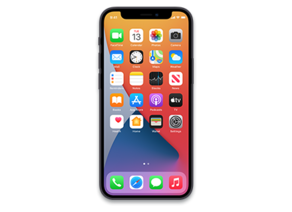
iOS 18.6.1 (22G90)
iPhone 12 mini
Other Signed iOS Versions
iOS 18.6.1 Release Notes
Apple Intelligence (All iPhone 16 models, iPhone 15 Pro, iPhone 15 Pro Max)
- Priority notifications appear at the top of your notifications, highlighting important notifications that may require your immediate attention
- Sketch is now available as an additional style option in Image Playground, allowing you to create gorgeous sketch drawings
- Apple Intelligence features support 8 additional languages and 2 additional English locales, including English (India, Singapore), French (France, Canada), German (Germany), Italian (Italy), Japanese (Japan), Korean (South Korea), Portuguese (Brazil), Simplified Chinese, and Spanish (Spain, Latin America, US)
Apple Vision Pro App
- The new Apple Vision Pro app, automatically installed for users with Apple Vision Pro, helps you discover new content, spatial experiences, and quickly access information about your device
Apple News+
- Recipes from some of the world’s best recipe publishers are now available on Apple News+
- Recipe Catalog allows you to browse or search to find the perfect dish and save it to your Saved Recipes
- Cooking mode lets you easily follow step-by-step directions
- The Food section also includes stories about restaurants, kitchen tips, healthy eating, and more
Photos
- New filters to show or hide items that are not contained in an album, or synced from a Mac or PC, in the Library view in Photos
- Reorder items in the Media Types and Utilities collections in Photos
- Consistent filtering options in all collections, including the ability to sort by oldest or newest first in Photos
- Option to sort albums by Date Modified in Photos
- Ability to disable “Recently Viewed” and “Recently Shared” collections in Photos Settings
- Hidden photos are no longer included for import to Mac or a PC if Use Face ID is enabled in Photos settings
This update also includes the following enhancements and bug fixes:
- 8 new emoji including objects, plants, and a smiley face are now available in the emoji keyboard
- Safari recent search suggestions help you quickly get back to previous search topics when starting a new query
- Setup Assistant streamlines steps parents need to take to create a Child Account for a kid in their family, and enables child-appropriate default settings if parents prefer to complete setting up a Child Account later
- Screen Time App Limits persist even after a child uninstalls and reinstalls an app
- App Store includes summaries for user reviews so you can get helpful insights from other users at a glance
- Pause and resume of an app download or update on App Store without losing progress
- New widgets for Podcasts including a Followed Shows widget to track your favorite shows and a Library widget to get to your most used sections, such as Latest Episodes, Saved, and Downloaded
- Ambient Music offers the ability to instantly play music from Control Center, giving access to a set of hand-curated playlists that offer soundtracks for daily life
- Apple Fitness+ Collections can now be added to Library
- Matter-compatible robot vacuum cleaners can be controlled in the Home app as well as be added to scenes and automations
- Support for 10 new system languages including Bangla, Gujarati, Kannada, Malayalam, Marathi, Odia, Punjabi, Tamil, Telugu, and Urdu
Some features may not be available for all regions or on all Apple devices. For information on the security content of Apple software updates, please visit:
https://support.apple.com/100100
How to Restore iOS 18.6.1 IPSW
🖥
iTunes (Windows / macOS Mojave and older) & Finder (macOS Catalina+)
- Download the iPhone13,1_18.6.1_22G90_Restore.ipsw file to your computer.
- Connect your iPhone 12 mini to your computer with a USB cable.
- Open Finder (macOS Catalina+) or iTunes (Windows / older macOS) and select your device.
- To Update (keeps data): hold Option (Mac) or Shift (Windows) and click Check for Update.
- To Restore (erases data): hold Option (Mac) or Shift (Windows) and click Restore iPhone/iPad.
- Navigate to and select the downloaded .ipsw file, then confirm.
- Wait for the process to complete — do not disconnect the device.
⚠️ Note: This firmware is no longer signed by Apple. iTunes/Finder may reject the restore. Use a tool like futurerestore if you have saved blobs.
⌨️
idevicerestore (Command Line)
An open-source command-line tool that restores IPSW files without needing iTunes. Useful for advanced users, automation, and custom restore workflows.
- Install via Homebrew:
brew install idevicerestore
- Connect your device and put it into DFU mode.
- Run the restore command:
idevicerestore -t iPhone13,1_18.6.1_22G90_Restore.ipsw
Common flags:
-eErase restore (factory reset)
-uUpdate restore (keep data)
-dEnable debug output
-nDry-run — don't actually restore
🔓
futurerestore (Saved Blobs / Downgrade)
futurerestore allows restoring to unsigned firmware like this one when you have saved APTickets (blobs) from a tool like TSSSaver or shsh.host.
- Download futurerestore from github.com/futurerestore/futurerestore.
- Ensure you have a saved .shsh2 blob for iOS 18.6.1 (22G90) on your iPhone 12 mini.
- Put your device into DFU mode and run:
futurerestore -t your_blob.shsh2 --latest-sep --latest-baseband iPhone13,1_18.6.1_22G90_Restore.ipsw
⛔ Warning: Using --latest-sep requires the latest SEP to be compatible with iOS 18.6.1. Always verify compatibility before restoring to avoid a bricked device.
📲
Entering DFU Mode
DFU (Device Firmware Update) mode is required for most manual restores. The button combination varies by device:
iPhone 8 / X and later / iPad with Face ID
Press & release Volume Up → press & release Volume Down → hold Side button until screen goes black → hold Side + Volume Down for 5 s → release Side but keep Volume Down for 10 s.
iPhone 7 / 7 Plus
Hold Side + Volume Down for 8 s → release Side but keep Volume Down for 10 s.
iPhone 6s and earlier / iPad with Home button
Hold Home + Sleep/Wake for 8 s → release Sleep/Wake but keep Home for 10 s.
💡 Tip: In DFU mode the screen stays completely black. If you see the Apple logo or a "Connect to iTunes" screen, you entered Recovery mode instead — try again.
iPhone13,1_18.6.1_22G90_Restore.ipsw
SHA1
f10673f14cff18abff24b33cdf75ef99707277fd
SHA256
5f641fd8b829161a0589fa8e55bb74988e5d9c43ce92bd2ddc6c7abbd5255928
MD5
5edee55d2f24da64f442117ddc99927b
⇓ Download IPSW (8.42 GB)
